
Use grading and formation boards
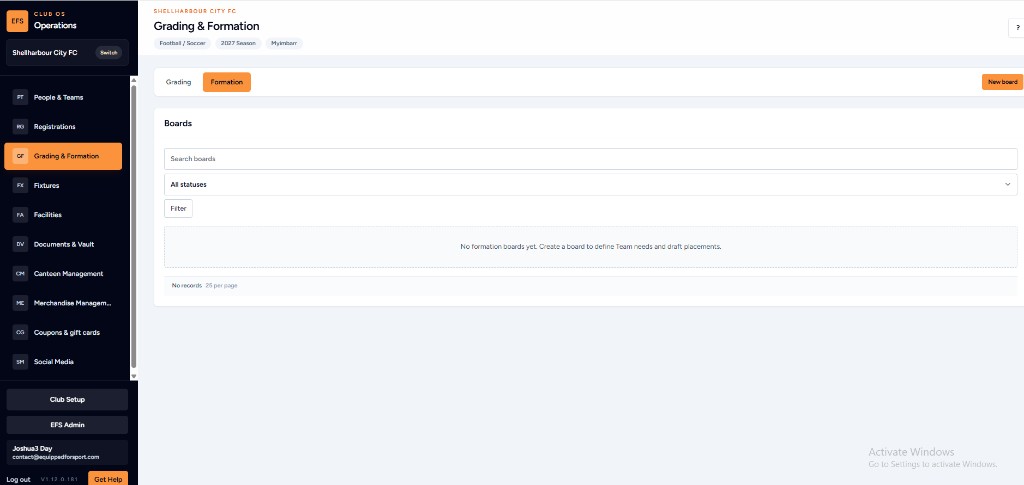
Create a board to define team needs and draft placements without losing the working view in a spreadsheet.
Updated 22 May 2026
Overview
Grading and formation is one of the highest-pressure committee jobs. Club OS keeps the working board in the same operating system as people and teams, so the draft is not trapped in one person’s laptop.
Before you start
- Confirm the season and age group.
- Have current player and team lists available in People & Teams.
- Agree who can edit the board.
Steps
- Open Grading & Formation from the Club OS menu.
- Select New board.
- Name the board for the age group, gender and season.
- Add the teams or groups you need to fill.
- Draft placements and mark status as you go.
- Use search and filters to find a player or board quickly.
- Share the board with the small group who should review it.
What happens next
The board becomes part of the club’s season record. When the next grading meeting starts, volunteers open the same view instead of rebuilding columns in a spreadsheet.
Tip: Keep one board per age group so the working view stays simple.
Was this helpful?